How to Address Apple Watch Overheating Issue
Written by Eric Desuza
An Apple Watch is just like a small computer wrapped around your wrist with an Apple Watch leather buckle . However, it does not have a built-in fan like a computer. This is the reason why the watch sometimes gets hot after running under pressure. The number of Apple Watch features makes it one of the most useful wearable technologies.
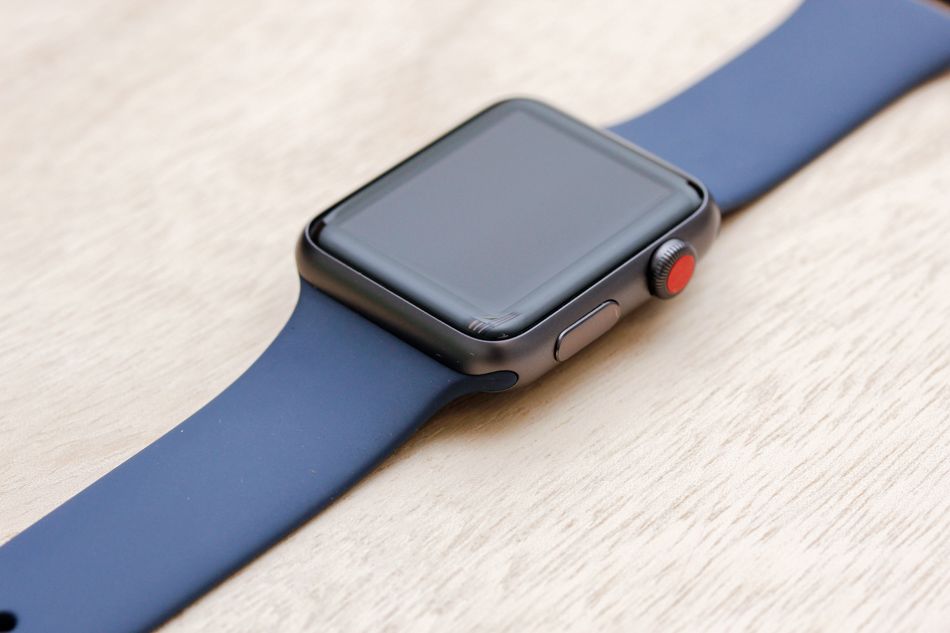
Apple Watch Overheating
When the watch or any other machine gets hot, most people look at the performance. If you use the watch less often, it should not get hot. If it is overheating, you have a problem to address. The watch delivers the best performance between 32 degrees to 95 degrees Fahrenheit (0 degrees and 35 degrees Celsius) ambient temperature. You can also store your Apple Watch at an ambient temperature ranging between -4 degrees to 113 degrees Fahrenheit. This solidly built device is designed to last longer within this temperature range.
If it is getting heated when you are charging it, you are not the only one having this issue. This is normal. When connected to a source of power, the watch, adaptor and cable often get heated. However, your watch should not be boiling.
If you are using Series 2 and you want to address this problem, the following are the instructions you should follow:
How to keep the watch from getting hot
Press and hold the side button of the watch. This will display the Power Off slide. Slide to turn your watch off and start it again. You can also use the option of force restart.
Unplug the watch. Now, leave the watch for 10 to 15 minutes. Turn it off.
Now, start charging your Apple watch. It is not advised to use the device when you are charging it.
When you restart the watch, you may find it displaying a black screen. To fix this, open the Watch app on your iPhone. Go to General and then Accessibility. Look for VoiceOver and Toggle it Off.
Keep in mind that when you are charging your Apple Watch, the watch, magnetic charging cable and power adapter should be placed in a ventilated area.
Additional Suggestion
These solutions must work. In case they don't work, you can take the following steps:
Unlock your iPhone and launch the Watch app.
Go to General and then Reset.
Click Erase Apple Watch Content and Settings
Click Confirm and wait
This will reverse your watch to the factory settings. In most cases, this method shows positive results.
We have one more suggestion for you. When you are charging the device or it is plugged into a power source, never cover it. Get in touch with Apple’s customer support if overheating remains prominent.
Don't forget to explore our range of Apple Watch Leather buckle. The loop is made from the finest quality leather that feels soft and comfortable against your skin. The following are some of the most popular options:
Black Leather Loop for Apple Watch
Saddle Brown Leather Loop for Apple Watch
Forest Green Leather Loop for Apple Watch
Beige Leather Loop for Apple Watch
Article author
About the Author
I am Eric Desuza a pro-level blogger with 5 years of experience in writing for multiple industries. I have extensive knowledge of Food, Fitness, Healthcare, business, fashion, and many other popular niches. I have post graduated in arts and have a keen interest in traveling.
Further reading
Further Reading
Article
The Role of Technology in Revolutionizing Lead Generation Services in Pakistan
In recent years, the business landscape in Pakistan has undergone a significant transformation, driven largely by advancements in technology. One area where this impact is particularly evident is in lead generation services. Lead generation, the process of attracting and converting potential customers into individuals who have expressed interest in a product or service, has become more efficient, targeted, and data-driven, thanks to technological innovations. This article exp
January 31, 2025
Article
From Cold Calling to Pre-Qualified Leads: The Power of Buying Solar Appointments
The solar industry is highly competitive, and securing new customers is a constant challenge. Traditionally, companies have relied on cold calling, door-to-door sales, and digital marketing campaigns to generate leads. However, these methods often require significant time, effort, and financial investment, with no guarantee of conversion. The introduction of pre-qualified solar appointments has revolutionized the process, making it more efficient and cost-effective. Tradition
January 29, 2025
Article
Top 7 Programmatic Advertising Platforms
All a business does is reach the right audience with the right message at the right time. Seems simple enough. Unfortunately, traditional advertising methods frequently lack the precision and efficiency required. Consequently, they fail to engage target audiences in this fragmented, data-driven world. A robust solution is found in the form of programmatic advertising. It uses AI and ML to automate the trade of digital advertising space. This means marketers can reach their au
January 28, 2025